
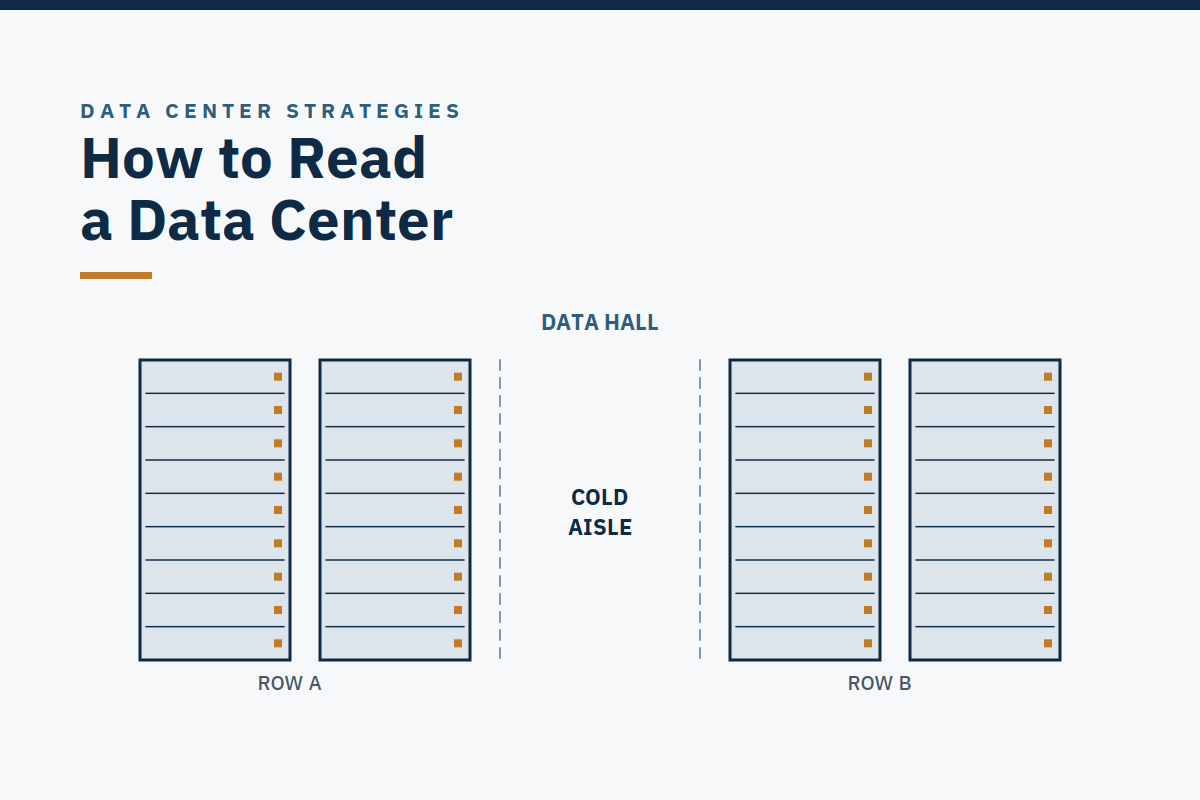
How do you read a data center, a plain, windowless building that gives away nothing from the road?You read it the way you would read an address: from the largest part to the smallest. Campus, building, data hall, row, rack, server. Learn that order once, use it the same way every time, and every later article on this site will make sense. This article is the reference the rest of the year links back to, and it works as an onboarding handout for a new operator's first week.
The hierarchy, in order
A campus is a site with one or more data center buildings plus the shared support infrastructure: substations, generators, the cooling plant, and the operations buildings. A campus is the unit a utility, a county, and a neighbor all see. It is also the unit an operator thinks in when a failure crosses buildings, a campus-wide utility outage, a shared cooling plant, a site security event.
A building is a single building on that campus. One building can hold several data halls, and one campus can hold several buildings at different ages, different designs, and different stages of life. That matters more than it sounds: the newest building on a campus is rarely the same as the oldest, and an operator who assumes they are will be surprised by the first one they walk.
A data hall is a room inside the building that houses the IT equipment. The hall is where the three jobs happen, power in, heat out, nothing down, and it is the unit most of this site's systems articles are about. Halls differ by cooling type, by density, and by who the customer is, but the vocabulary stays the same.
Inside the hall are rows of racks, and inside each rack are servers, the computers themselves. A row is a line of racks arranged so that cool air enters at the front and hot air leaves at the rear. A rack is a standardized cabinet, and a server is a single computer inside it. Campus, building, hall, row, rack, server: that is the address of everything that happens here.
The order is not decorative. When something goes wrong, the operator's first job is to locate it in this hierarchy. "The campus lost utility power" is a different problem from "one hall lost cooling," which is different again from "one rack lost a power feed." Each level has its own systems, its own redundancy, and its own procedures. Confusing the levels is how a hall-level problem gets treated as a campus-level emergency, or a campus-level problem gets treated as a single rack's fault.
A walk from the substation to one server
Walk the building the way power walks it, and the hierarchy becomes concrete. Electricity arrives from the grid at the campus substation, is stepped down through transformers, and passes through switchgear to the building. Generators stand by for a utility failure. Uninterruptible power supplies, UPS systems, bridge the seconds between losing utility power and the generators taking the load. From there, power is distributed through panels and busways to the hall, to the row, to the rack, and finally to the server. The full path, handoff by handoff, is the subject of Week 9, Follow the Electron.
Cooling walks the same hierarchy in reverse. Heat is captured at the server, carried out of the rack and the hall, moved through one or more transfer steps, and rejected outdoors, through chillers, cooling towers, or dry coolers. In an air-cooled hall the servers draw cool air in at the front and exhaust hot air at the rear. In a liquid-cooled hall, cold plates sit directly on the processors and a coolant loop carries the heat away. The medium changes; the job does not.
The walk also shows you what is not in the hall. The heavy electrical plant, switchgear, UPS, generators, and the heavy mechanical plant, chillers, pumps, cooling towers, mostly live outside the hall, in rooms and yards of their own. That separation is the next pair of terms to learn.
White space and gray space
Operators talk about white space and gray space. White space is the data hall itself: the room where the IT equipment lives, the raised floor or slab, the racks, the containment. Gray space is everything that supports it: the electrical rooms, the mechanical plant, the loading dock, the offices, the corridors. The terms are industry-colloquial, not defined in TIA-942, and they are worth using with that caveat in mind. They are how operators talk, not a standard's vocabulary.
The boundary between the two is moving. As liquid cooling and in-rack power move into the hall, coolant distribution units, rack manifolds, busway running down the row, equipment that used to live firmly in gray space now sits in the white space, or at its edge. That shift is one of the reasons the old mental picture of a data center, a big empty hall full of racks, with everything else somewhere else, is becoming less accurate. The hall is no longer just the place where the servers sit.
It is increasingly where the cooling and power distribution happen too, which changes who is allowed in, what they are allowed to touch, and what a procedure has to cover.
For a new operator, the practical lesson is simple: know which side of the boundary you are standing on, and know what you are authorized to do there. A technician authorized to work in the white space is not automatically authorized to open a switchboard in the gray space, and the authorization matrix is the document that says so. That matrix is one of the things checked before anyone signs for a building, as the Transition to Operations guide explains.
Three buildings, one vocabulary
The hierarchy holds across very different buildings, which is why it is worth learning as a vocabulary rather than as a description of one site. There is no one unifying design for a data center: the paths, examples, and ladders on this site are common patterns and common archetypes, not a universal template, and a deviation is not automatically a defect. Three common facility examples show the range.
A large hyperscale campus holds several buildings, each with multiple halls, on one site with its own substation and a substantial generator fleet. The hierarchy is at its largest scale here, and the campus level matters most. A shared utility feed or a shared cooling plant is a campus-level dependency that no single hall's redundancy can fix.
A colocation facility holds halls that different tenants rent by the rack or by the cage. The hierarchy is the same, but the boundary of responsibility moves: the provider operates the building and the gray space, and the tenant operates their own racks inside the white space. The operator's question is "who is responsible for what here?". A question Week 7 takes up in full.
A smaller enterprise or edge facility may be a single hall in a single building, or a prefabricated module. The hierarchy compresses, campus and building may be the same thing, and the hall may be one room, but the order does not change. Campus, building, hall, row, rack, server still describes it, even when some of the levels are small enough to cross in a few steps.
What "normal" looks like
The point of learning to read a building is to know what normal looks like, so that abnormal stands out. A new operator's first weeks should be spent walking the hierarchy, from the substation to one server, until the route is familiar and the normal indications at each level are known: the sound of a healthy hall, the temperature of a normal aisle, the load on a normal panel, the state of a normal UPS display. Rounds are not sightseeing.
They are the operator building a mental baseline, one walk at a time, so that the day something is wrong, they notice it before the alarm does.
That is also why this article exists as a reference rather than a one-off. Every systems article that follows, power, cooling, controls, fiber, fire protection, will use these words in this order. If a term is unfamiliar, come back here. If a later article seems to use a term differently, check the hierarchy first: the odds are that the confusion is about level, not about meaning.
Takeaway
A data center reads from the largest part to the smallest, campus, building, data hall, row, rack, server. White space is the hall where the IT lives; gray space is everything that supports it, and the boundary between them is moving as liquid cooling and in-rack power move into the hall. Learn the order once, walk it until normal is familiar, and you can locate any problem at the level where it actually lives.
Further reading
- Transition to Operations guide, the guide to taking over a new data center.
- Case Study 1: Transition-to-Operations Readiness, what was missing at handover, and what the Handover Gate would have caught.
- Contact, start a conversation about a readiness review; a conversation, not a pitch.
Sources
This article is a terminology and orientation piece drawing on Where AI Lives, Chapter 1.
- "White space" and "gray space" are industry-colloquial terms, not defined in TIA-942.
Published Saturday, September 26, 2026. By Scott Stillings. Scott spent more than twenty years in critical infrastructure operations, as a submarine reactor operator in the U.S. Navy, as a commercial nuclear operator and senior-reactor-operator-certified instructor, and as a critical operations manager for a large hyperscale data center campus. He is the author of Where AI Lives: Inside the Hyperscale Data Centers Powering the AI Boom (Inside Hyperscale).